Microsoft Surface Pro 8 Replacement Battery – DYNC01

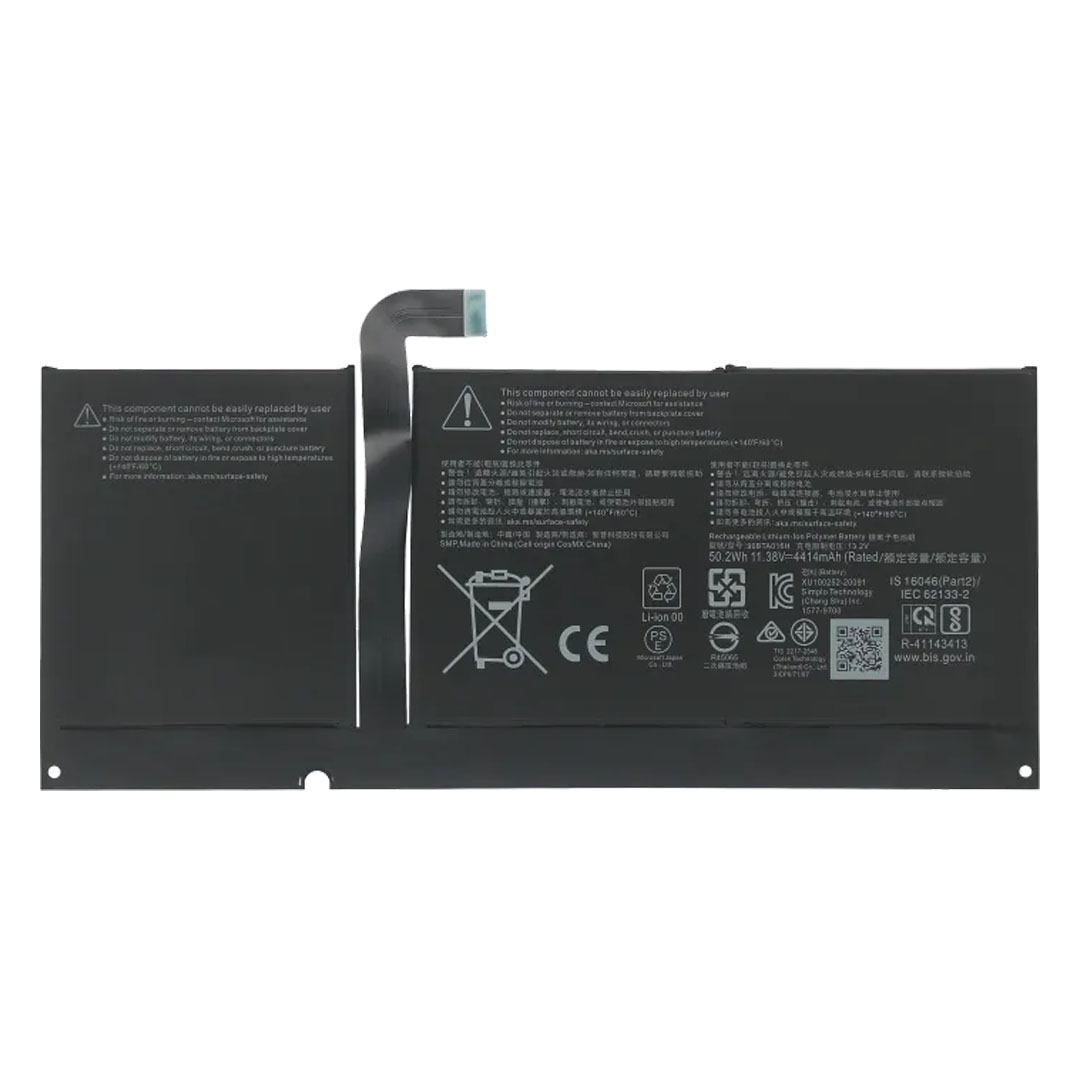
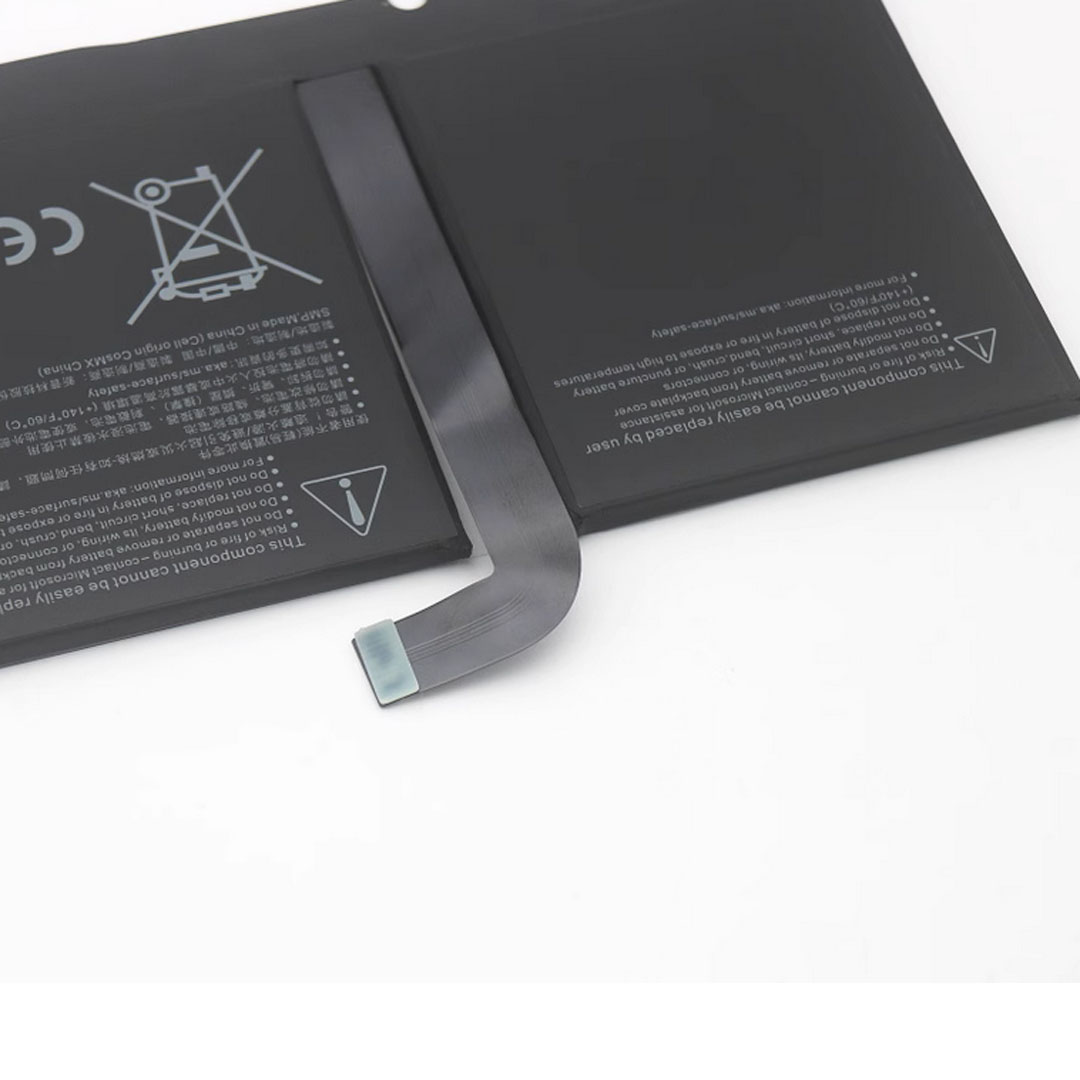
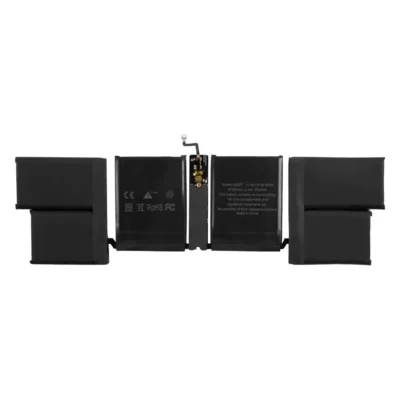
The Surface Pro 8 replacement battery is a zero-cycle 50.2 Wh aftermarket cell that matches the original Microsoft capacity, voltage, and watt-hour rating. In particular, the pack includes the battery adhesive strips required for the install, so technicians have everything needed to bond the new cell to the Surface chassis. Furthermore, it is supplied by GA Tech NZ from local stock with same-day weekday dispatch and a 6-month manufacturing-defect warranty.

  • First, original-spec 50.2 Wh / 4414 mAh capacity so that runtime matches the factory cell.
  • Also, battery adhesive included. Specifically, the pack ships with the adhesive strips required to bond the new cell to the Surface chassis during install.
  • Additionally, zero-cycle Li-ion polymer chemistry with 11.38 V nominal and 13.05 V charging cutoff, identical to Microsoft’s reference design.
  • Specifically, model fit: similarly, the same cell supports the Microsoft Surface Pro 8 variants covered in the spec table.
  • Finally, NZ stock, same-day dispatch, and 6-month warranty, plus in-house fitting available through GA Tech NZ.

Shipping info

Place your order by 2PM on business days for same-day dispatch. Tracked overnight delivery for only $8 urban areas or $13 rural locations, across New Zealand.

SKU: GA7-FMS04 Categories , Tag

$99.00

2 in stock

2 in stock

Get Parts & tools for repair

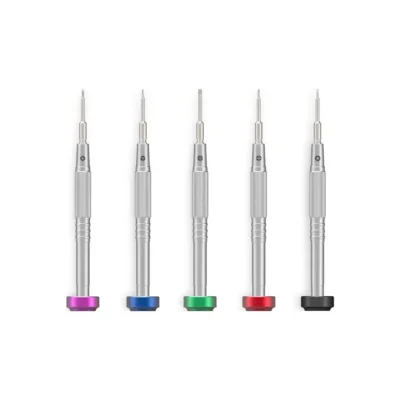
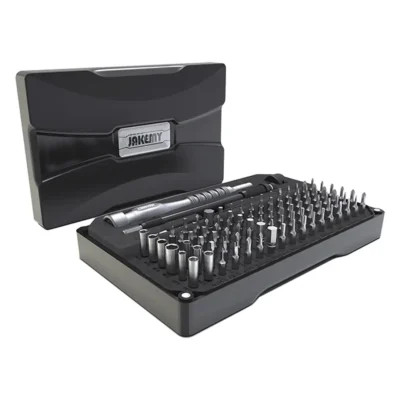
11-in-1 Phone and Tablet Repair Tool Kit - Essential Opening and Repair Set

Fix phones and tablets with this 11-in-1 phone repair tool kit. It includes essential opening and repair tools designed for screen, battery and internal component work, all packed in a compact, easy-to-carry set.

Out of stock

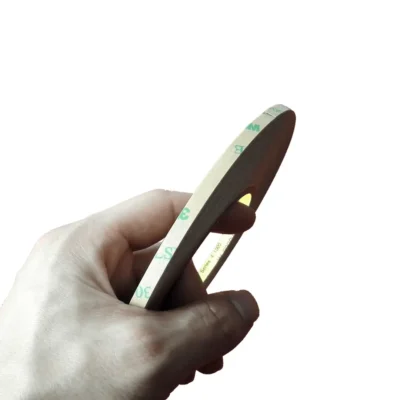
3mm Double Sided Adhesive Tape 50m Black - 3M 300LSE

This 3mm double sided adhesive tape NZ uses genuine 3M 300LSE adhesive for strong, reliable bonding in phone, tablet, and electronics repairs. The 50m roll gives precise application, clean fit, and professional results.

Out of stock

More Info

The Microsoft Surface Pro 8 replacement battery is a high-quality 50.2 Wh aftermarket cell engineered to restore your Microsoft Surface to original-spec runtime. In particular, capacity, voltage, watt-hours, and physical dimensions all match Microsoft’s reference design, so the battery drops into the existing chassis with no shimming and no fit issues. In addition, NZ stock, the included battery adhesive kit, and a 6-month warranty round out the package.

Why choose this Microsoft Surface Pro 8 replacement battery?

Specifically, this Surface battery brings three advantages that matter for a delicate 2-in-1 repair: an original-spec cell, zero-cycle factory-fresh chemistry, and full NZ logistics with same-day dispatch from local stock. Importantly, the cell ships zero-cycle, which means it has not been charged or discharged before reaching you. As a result, you get the full design lifespan from day one.

Microsoft Surface Pro 8 replacement battery features at a glance

What you getHow it benefits you
Original-spec 50.2 Wh capacityIn particular, all-day runtime that tracks the factory cell. Furthermore, there is no drop-off in standby time.
Battery adhesive includedSpecifically, the pack ships with the battery adhesive strips needed to bond the cell to the Surface chassis. As a result, technicians have everything required for the cell-to-chassis bond in one part.
Zero-cycle, factory-fresh cellIndeed, you get the full design lifespan from first charge. Moreover, there is no prior wear and no shelf degradation beyond standard storage.
Model variants and revisionsIn particular, the Microsoft Surface Pro 8 model revisions all share the same cell. Therefore, one part covers all variants.
Supplier part number DYNC01Specifically, this matches the OEM-equivalent part identifier. As a result, trade technicians can confirm fit before ordering.
NZ stock, dispatchGenerally, weekday orders ship the same day. In addition, tracked overnight delivery is available nationwide.
6-month manufacturing-defect warrantyImportantly, this is local NZ-backed warranty cover. Furthermore, it is handled directly by GA Tech NZ.

Important product information

  • First, this is an aftermarket replacement battery cell for the Surface Pro 8. GA Tech NZ holds no affiliation with Microsoft Corporation, and this listing is an aftermarket replacement battery.
  • Additionally, this pack includes the battery adhesive strips required to bond the new cell to the Surface chassis during install. However, the pack does not include opening tools or screwdrivers — technicians supply their own iOpener, plastic picks, and precision drivers.
  • GA Tech NZ strongly recommends professional installation because Surface battery removal requires prolonged controlled heat to release the display digitizer adhesive, careful prying around fragile glass, and isopropyl alcohol softening of the cell adhesive. In addition, GA Tech NZ offers in-house Surface battery replacement.

Microsoft Surface Pro 8 replacement battery overview

First, this Surface DYNC01 replacement battery fits Microsoft Surface Pro 8 (2021). The specific Microsoft model identifiers covered are: Model 1982 / 1983. Microsoft uses the supplier part number DYNC01 for the variants and EMC revisions of this Surface device.

For context, the DYNC01 cell rates at 50.2 Wh, 4414 mAh, 11.38 V nominal, and 13.05 V charging cutoff, matching the original Microsoft cell specification. As a result, this replacement battery restores native-feeling runtime after installation. In practice, customers commonly report that a tired Surface jumps from a few hours of mixed-use battery life back to a full working day on a single charge after the swap.

Who is this Surface Pro 8 replacement battery for?

In particular, this battery suits three groups of buyers. First, Microsoft Surface owners whose original cell has degraded below acceptable runtime and who want to keep using the device. Second, NZ repair shops and trade technicians who need a reliable, local-stocked Surface battery for fast paid repair work. Third, experienced DIY repairers who already own the precision tools and experience for Surface display removal. However, for first-time DIY repairers, GA Tech NZ strongly recommends professional fitting through the in-house repair service because Surface tablets are widely considered the hardest mainstream device to repair, and a cracked digitizer is expensive to replace.

How long will the Surface Pro 8 replacement battery last?

Typically, a new Li-ion polymer Surface-class cell retains 80 percent of its design capacity through roughly 500 to 1000 full charge cycles, which works out to two to four years of normal daily use. After that, capacity will begin to taper, and the next replacement window opens. Meanwhile, GA Tech NZ’s 6-month warranty covers manufacturing defects in the first 6 months from delivery, and the cell itself is built to deliver the full Li-ion design lifespan when charged within Microsoft’s voltage range.

NZ stock, dispatch, and in-house fitting

Since 2017, GA Tech NZ has supplied spare parts and repair services across New Zealand. Because GA Tech NZ holds the Surface Pro 8 battery in local stock, weekday orders are dispatched the same day with tracked overnight courier delivery nationwide. Most orders land the next business day. In addition, buyers who want a fitted result can book in-house Surface battery replacement. Meanwhile, for complementary parts and tools, browse the Surface parts and repair tools categories. For the original Microsoft product specifications, see the Microsoft Surface Pro 8 support page on Microsoft.

Surface Pro 8 replacement battery specifications

SpecificationDetail
Product typeAftermarket replacement battery (zero cycle), specifically built to Microsoft’s reference design
Compatible Surface devicesMicrosoft Surface Pro 8 (2021)
Compatible Microsoft model numbersModel 1982 / 1983
Battery model numberDYNC01
Capacity (watt-hours)50.2 Wh, which matches the Microsoft original capacity
Capacity (mAh)4414 mAh
Rated voltage11.38 V nominal
Charging cutoff voltage13.05 V
Battery chemistryLithium-ion polymer
Cycle count at deliveryZero, since cells are factory-fresh
Battery adhesiveIncluded with the pack
Compliance documentsStandard CE, FCC, UN38.3, MSDS, 1.2M drop test, and air transport documentation at supplier level
Warranty6 months against manufacturing defects
Return window7-day change-of-mind on unopened parts under GA Tech NZ T&C

Compatible Microsoft Surface model numbers

Specifically, this Surface DYNC01 replacement battery fits the following Surface variants and their model revisions.

  • Microsoft Surface Pro 8 (2021)
  • Model identifiers: Model 1982 / 1983

Before ordering, to confirm your Surface model number, open Settings > System > About on your device, or check the back of the device where the model number is printed. The four-digit identifier should match one of those listed above.

How to install the Surface Pro 8 replacement battery

The Surface battery sits beneath the display digitiser, bonded to the chassis with strong cell adhesive, and connected via a flex cable to the logic board. Generally, a trained technician completes the full swap in 90 to 120 minutes including display digitiser separation, cell adhesive softening, and reseal. For buyers unfamiliar with Surface disassembly, GA Tech NZ strongly recommends in-house Surface battery replacement because Surface tablets are widely considered the hardest mainstream device to repair.

Display digitiser removal

  1. First, prepare the workspace and tools. Specifically, use a clean ESD-safe bench, an iOpener or controlled heating pad, several plastic opening picks, a plastic spudger, precision Torx drivers, isopropyl alcohol for cell adhesive softening, and a lint-free cloth.
  2. Second, power off the Surface and unplug all peripherals. In particular, disconnect Surface Connect power and shut down completely (not just sleep) before applying heat to the display.
  3. Third, warm the display perimeter. Specifically, apply prolonged controlled heat (around 90 degrees Celsius) along each edge of the display for several minutes to soften the strong digitizer adhesive that bonds the glass to the chassis.
  4. Next, slice through the digitizer adhesive. First, work plastic opening picks gently under the warmed edge. Then, slide each pick slowly around the perimeter. However, take particular care because Surface glass is fragile and cracks easily under uneven pressure.
  5. Finally, lift the display and disconnect the flex cables. Specifically, raise the display from the long edge first, then carefully unhinge it. Locate the display flex cables on the logic board and disconnect them before fully removing the display assembly.

Battery swap and reseal

  1. First, disconnect the battery flex cable. Specifically, locate the battery connector on the logic board, remove the metal shield with the Torx driver if present, and lift the flex cable to isolate power before any further work on the cell.
  2. Next, soften the original cell adhesive and remove the old cells. Specifically, apply small amounts of isopropyl alcohol along each battery cell perimeter using a syringe or precision applicator. Allow several minutes for the adhesive to soften. Then, work a plastic opening pick under each cell from the outer edge and gently lift each cell free of the chassis. However, take particular care not to puncture, bend, or short the lithium cells during removal.
  3. Then, apply the supplied adhesive strips and seat the new cell. Specifically, clean any residual adhesive from the chassis cavity with isopropyl alcohol, peel the backing from each adhesive strip and place it in the chassis where each cell will sit. Then, align the new battery and press it firmly into position. However, take care not to crimp or fold the battery flex cable.
  4. Next, reconnect and test before closing. First, reconnect the battery flex and refit the shield. Then, reconnect the display flex cables. Plug in the Surface Connect power and power on with the display loose. Finally, verify the Surface boots, accepts charge, and reads the new charge percentage in System Information.
  5. Finally, reseal the display. Specifically, apply fresh display digitizer adhesive around the chassis perimeter. Then, align the display, lower it carefully, and apply even pressure for several minutes to fully bond the digitizer back to the chassis.

Compliance and testing

First, the supplier holds standard CE Declaration of Conformity (EU Council EMC Directive 2014/30/EU) and FCC Supplier’s Declaration of Conformity (FCC Part 15 Subpart B / ANSI C63.4:2014) for this battery line. In addition, the supplier holds standard lithium-battery transport and safety documentation, including UN38.3 test reports, MSDS, 1.2M drop test, and air transport identification under CNAS-accredited testing. As a result, the battery line ships with the compliance paperwork required for safe NZ courier transit.

Frequently asked questions

About capacity, fit, and runtime

What capacity is this Surface Pro 8 replacement battery?

Specifically, the Surface DYNC01 replacement battery is rated at 50.2 Wh, 4414 mAh, 11.38 V nominal, and 13.05 V charging cutoff. As a result, these numbers match the original Microsoft cell specification, which is why runtime after installation tracks the factory experience closely.

Will this battery restore my Surface runtime?

Yes, indeed. Because the cell is zero-cycle and built to Microsoft’s original capacity specification, a tired Surface typically returns to a full working day of mixed use after the swap. However, real-world runtime depends on screen brightness, WiFi signal strength, and CPU/GPU workload from background apps.

How long will the Surface Pro 8 replacement battery last?

Generally, a new Li-ion polymer Surface-class cell retains 80 percent of its design capacity through approximately 500 to 1000 full charge cycles. With normal daily use, that works out to roughly two to four years before the next noticeable degradation. Meanwhile, GA Tech NZ’s 6-month warranty covers any manufacturing defects in the first 6 months from delivery.

Which Surface models does this DYNC01 battery fit?

Specifically, this pack fits Microsoft Surface Pro 8 (2021). The full Microsoft model identifier list is: Model 1982 / 1983. Therefore, confirm your model number in Settings > System > About or on the back of the device before ordering.

Installation, delivery, and warranty

Will this battery fit a Surface Pro 7+ or Surface Pro 9?

No. The Surface Pro 7+ (Model 1960) uses a different cell layout and the Surface Pro 9 (Model 2038) uses a newer cell. The DYNC01 fits the Surface Pro 8 (Model 1982 / 1983) only.

Does the battery come with adhesive and tools?

Yes for adhesive, no for tools. The pack includes the battery adhesive strips needed to bond the new cell to the Surface chassis. However, the pack does not include opening tools or screwdrivers — Surface installations require an iOpener or heating pad, plastic opening picks, a spudger, precision Torx drivers, and isopropyl alcohol, which technicians supply themselves.

Can GA Tech NZ fit this battery for me?

Yes, indeed. In fact, GA Tech NZ offers in-house Surface battery replacement. Generally, the full job takes 90 to 120 minutes in the workshop and includes a final test before handover. In addition, Surface battery repair is the most delicate mainstream device repair because the digitizer adhesive is extremely strong and the glass is fragile, so professional fitting significantly reduces the risk of cracked glass or chassis damage.

How fast is delivery within New Zealand?

Generally, weekday orders placed before the dispatch cutoff are sent the same day with tracked overnight courier delivery nationwide. Urban delivery usually arrives the next business day, rural deliveries may take two business days or more.

What warranty and return policy applies?

First, GA Tech NZ provides a 6-month warranty against manufacturing defects on this Surface Pro 8 replacement battery. However, the warranty does not cover physical damage, installation errors, or water damage. In addition, GA Tech NZ accepts change-of-mind returns on unopened parts in new unused condition within 7 days of receipt under the GA Tech NZ terms and conditions.

Account Login

Account Login

Part Request

Unable to find a part?

If you have any requests or enquiries about a product not shown here, please fill the form and we will get back to you with price and availability.