
Local NZ Stock
Stocked in Queenstown
Daily Dispatch
2pm cut-off, overnight NZ
Quality Focused
Tested, warranty backed
Owned & Operated
Kiwi owned since 2017
GA Tech repair services
Need phone repair in Queenstown? GA Tech repairs iPhone, Samsung, OPPO and other mobile devices, plus MacBook, tablet, laptop and game console repairs. Choose Queenstown drop-off or courier send-in across New Zealand, then select your repair, request a fault assessment, or add an insurance report where needed.
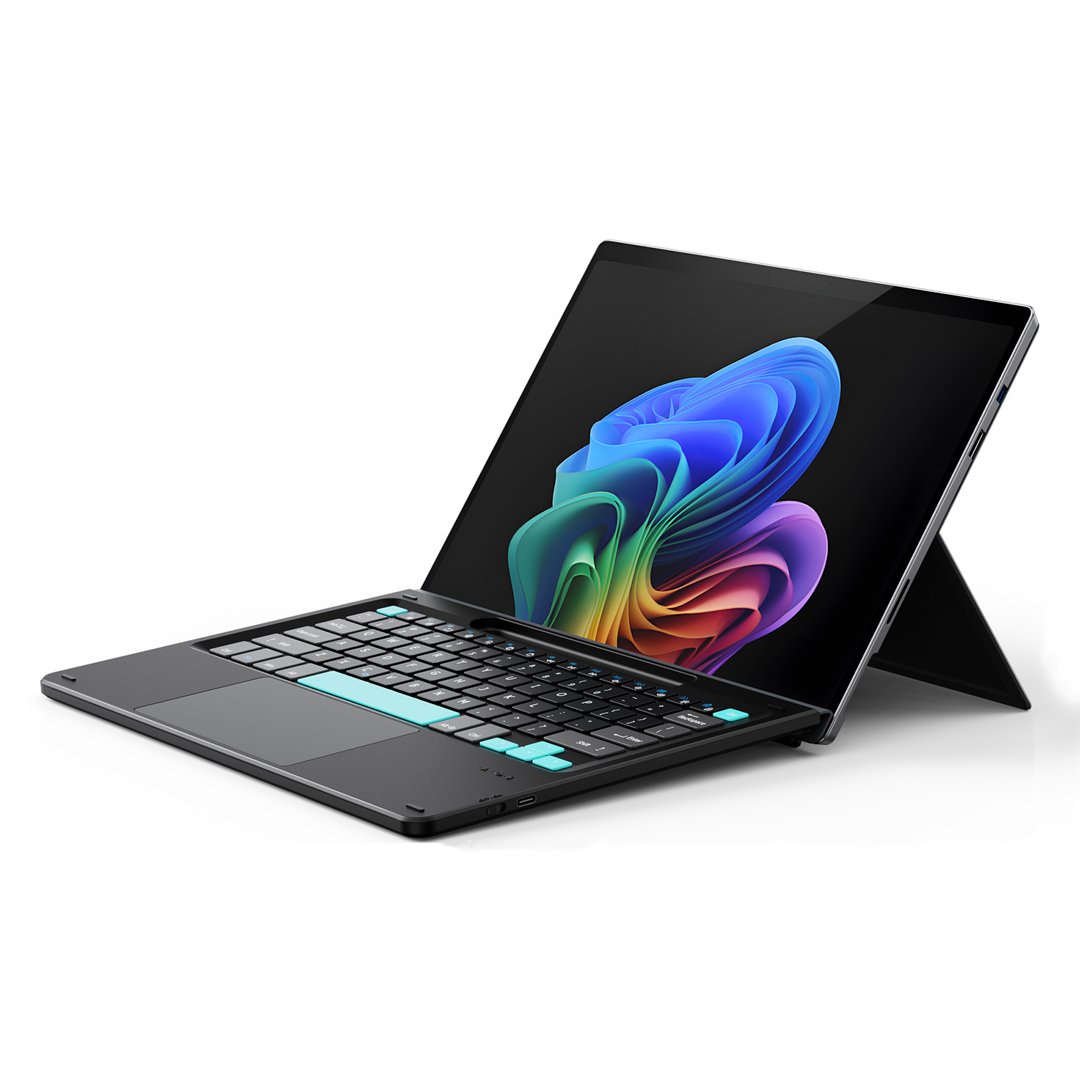
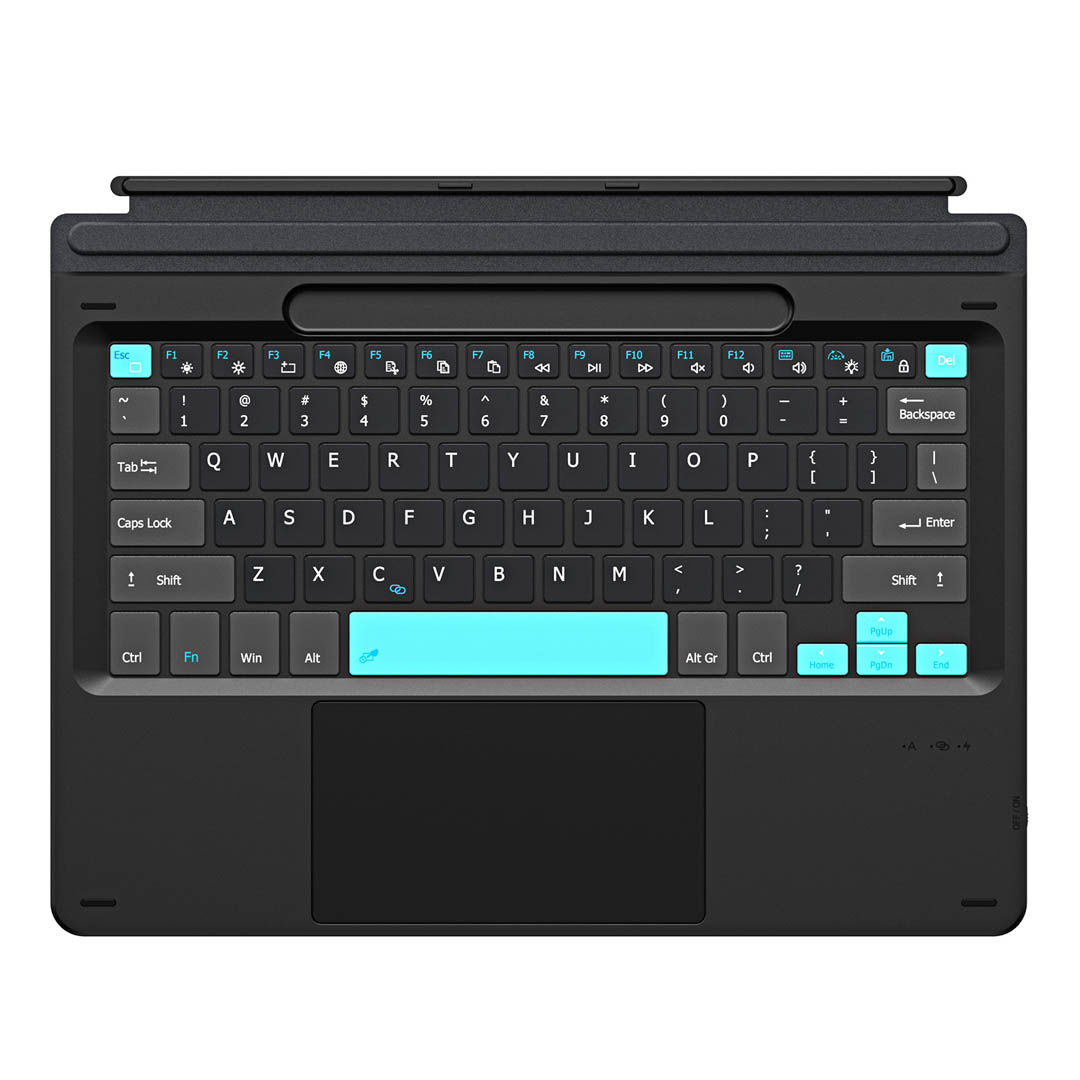
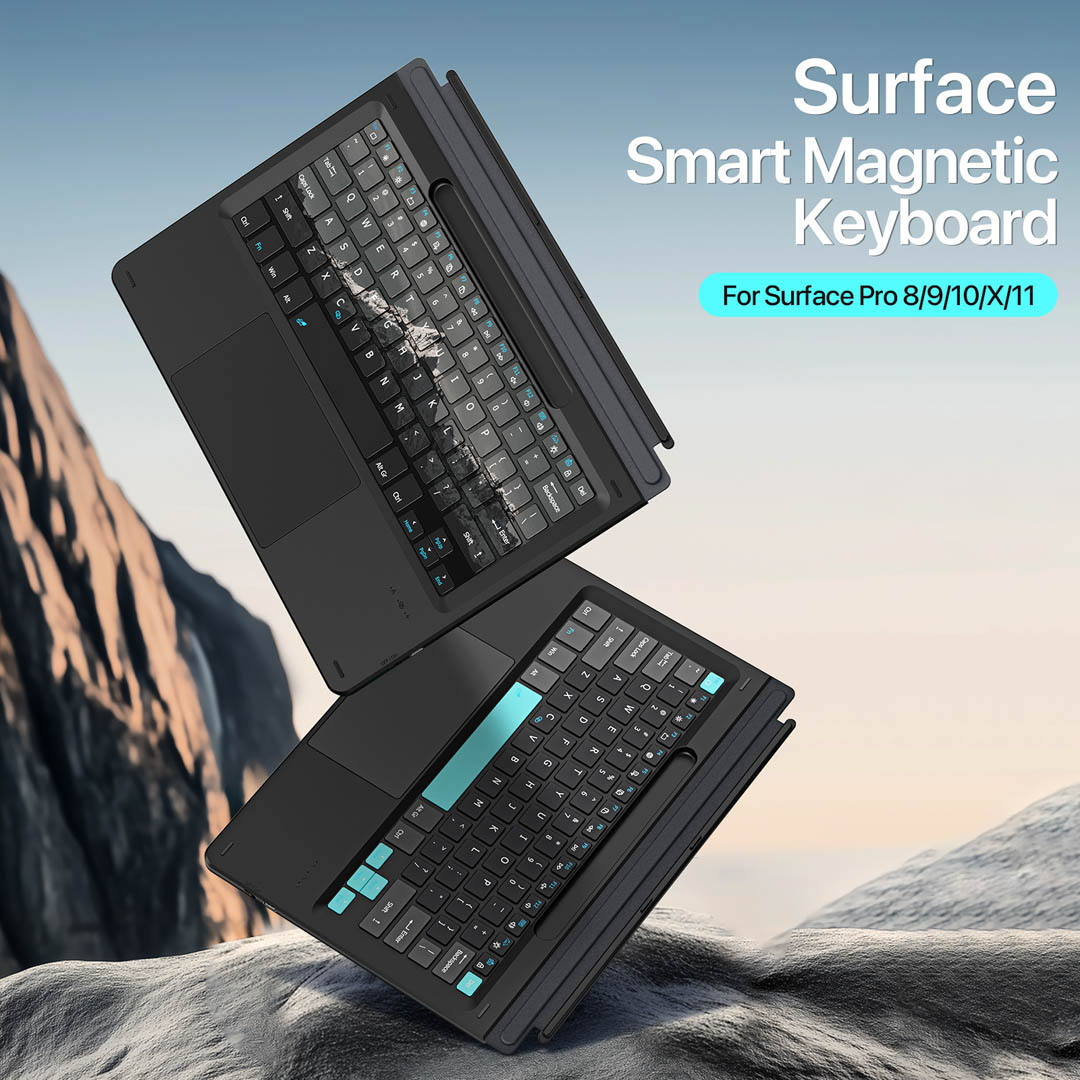
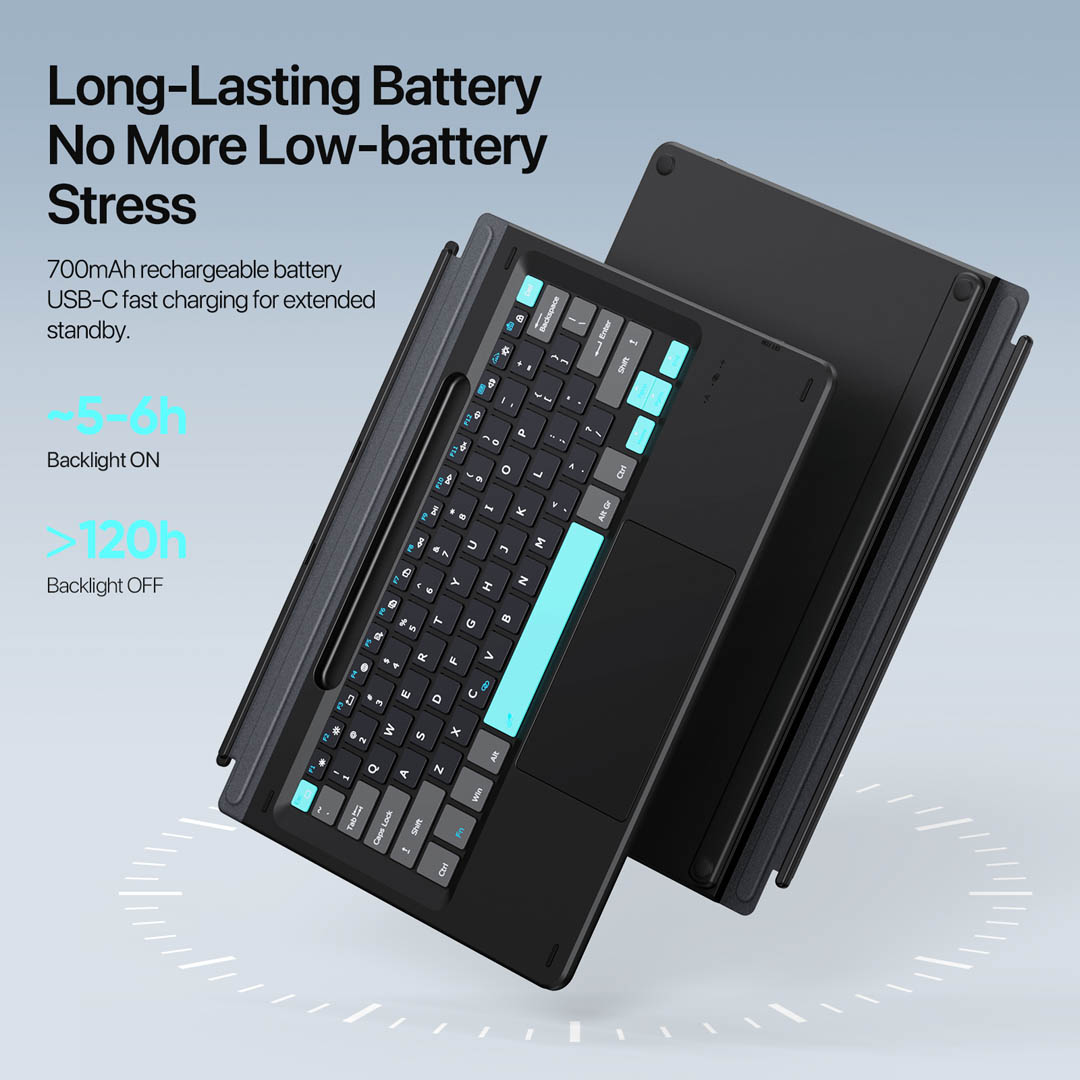
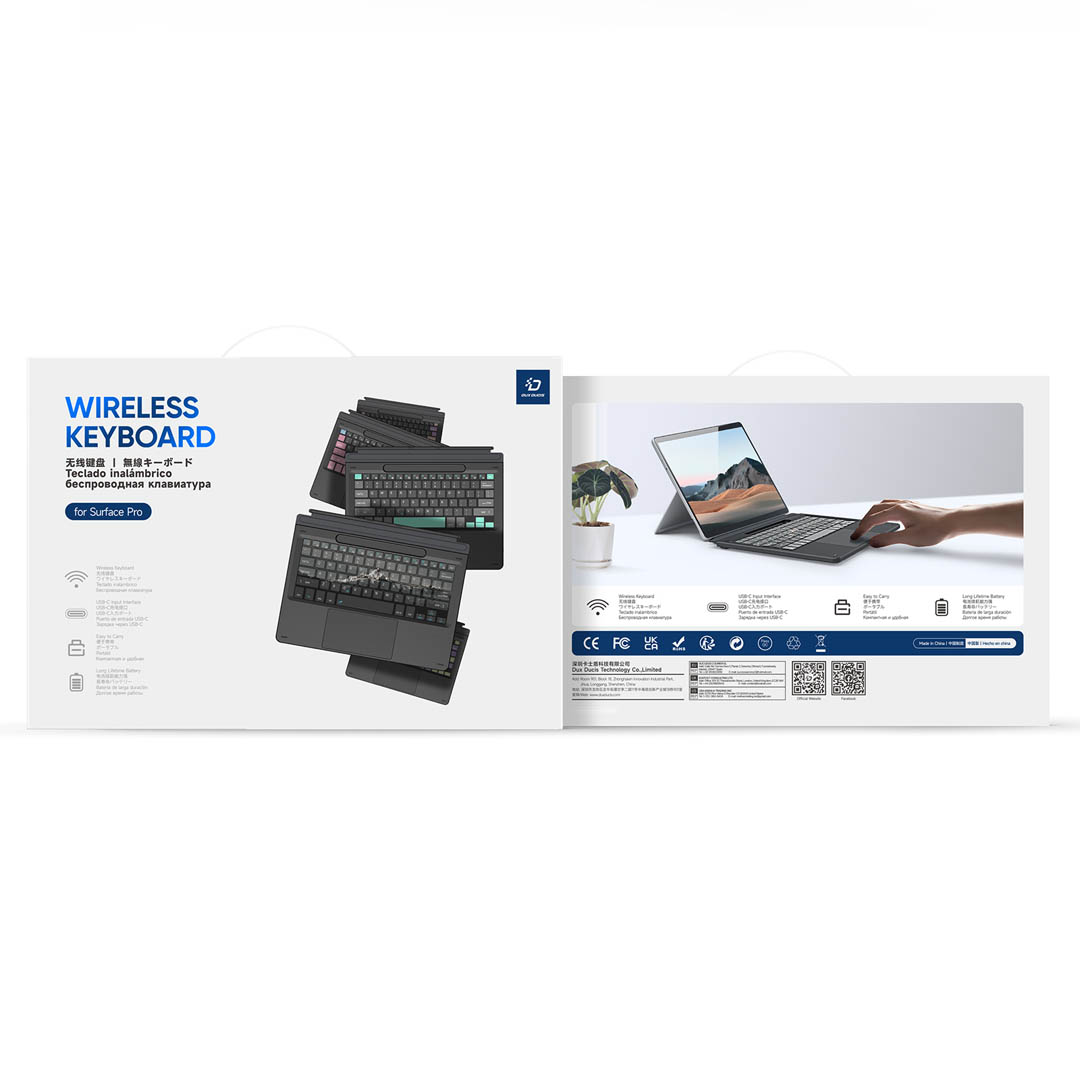
Dux Ducis builds this Microsoft Surface Pro 11 keyboard with magnetic attachment, Bluetooth 5.0 wireless mode, a glass touchpad and a 7-colour backlit key deck. GA Tech NZ sells the keyboard at gatech.co.nz.
Place your order by 2PM on business days for same-day dispatch. Tracked overnight delivery for only $8 urban areas or $13 rural locations, across New Zealand.
Out of stock
The Microsoft Surface Pro 11 keyboard by Dux Ducis connects to the tablet magnetically and wirelessly using Bluetooth 5.0, and GA Tech NZ sells the keyboard at gatech.co.nz for customers across New Zealand. The CK Pro series model measures 275 x 198mm and weighs approximately 378 grams. In addition, Dux Ducis builds the 5mm ultra-thin body from PU, ABS and magnet materials with a precision spray-coated surface and a microfibre base. As a result, the keyboard adds minimal bulk to the Microsoft Surface Pro 11 during transport.
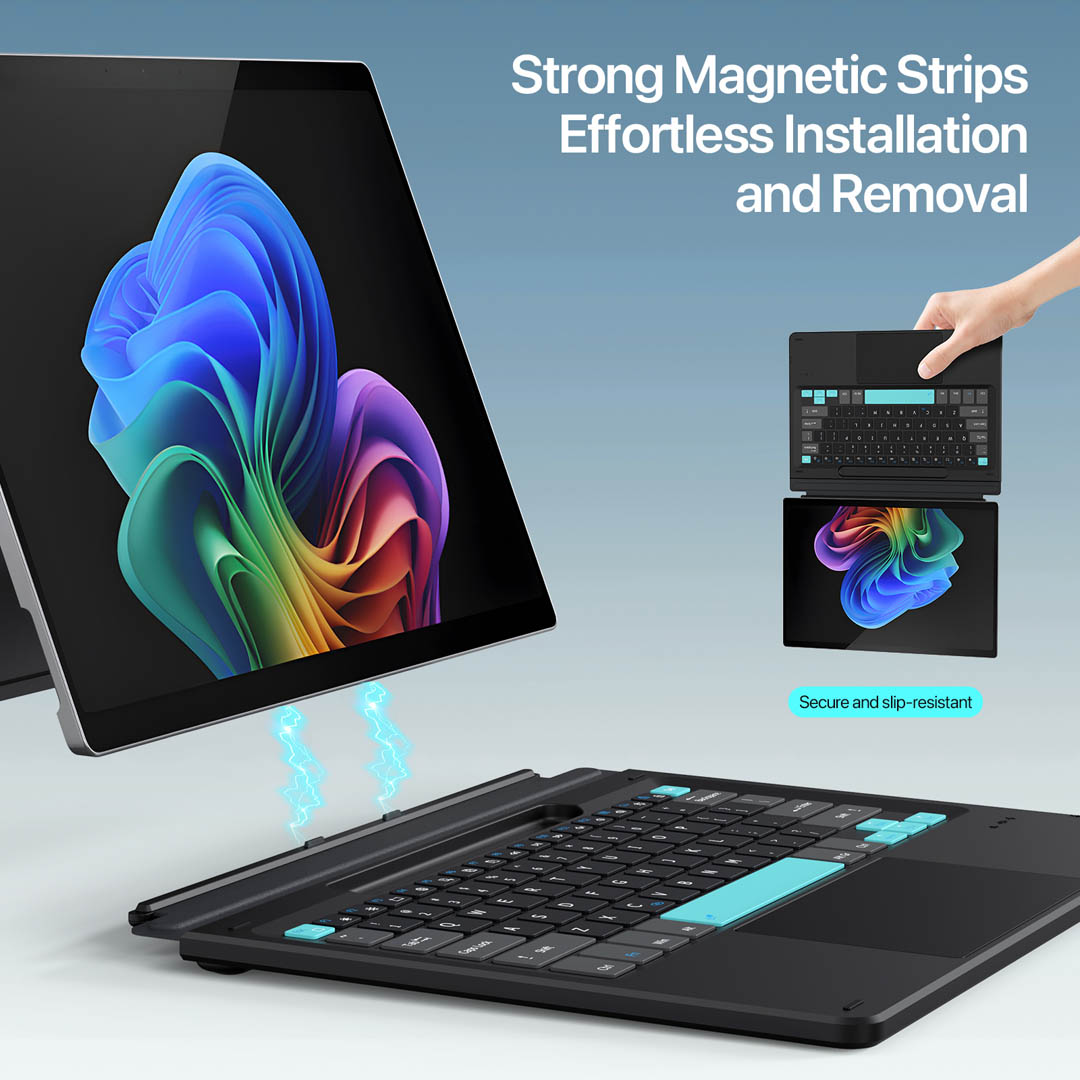
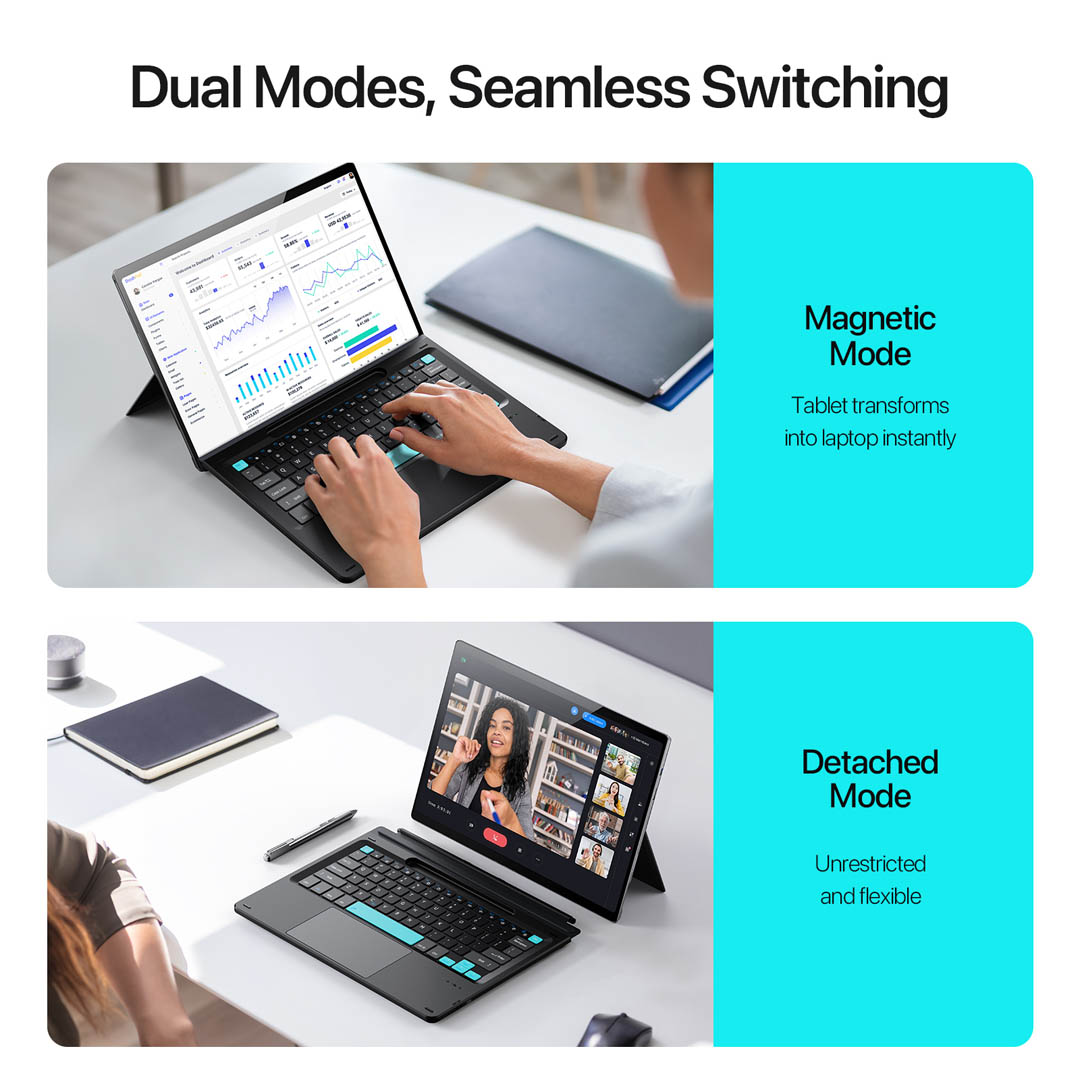
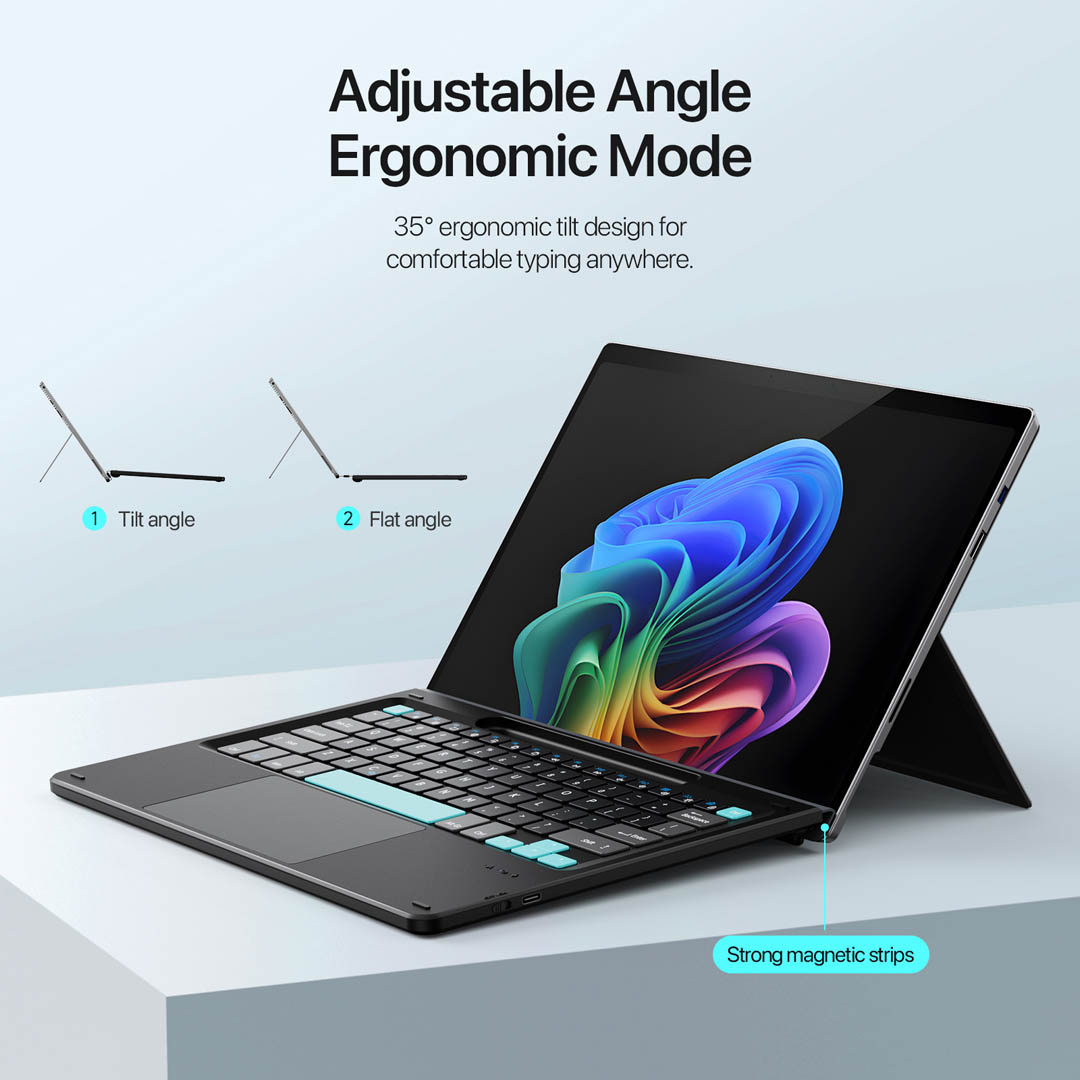
Magnetic connected and separated use is the main functional differentiator. Strong magnetic strips snap the keyboard to the Microsoft Surface Pro 11 for a laptop-style typing setup. In turn, detaching the keyboard activates Bluetooth 5.0 wireless mode with a working distance of 8 to 10 metres. Therefore, the keyboard supports desk work, lap use, presentations and remote navigation without a fixed connector. The 35-degree ergonomic tilt angle raises the key deck for extended typing sessions, while the flat angle mode keeps the profile low on crowded surfaces. Furthermore, the pull-out telescoping magnetic strip locks the tilt position in place.
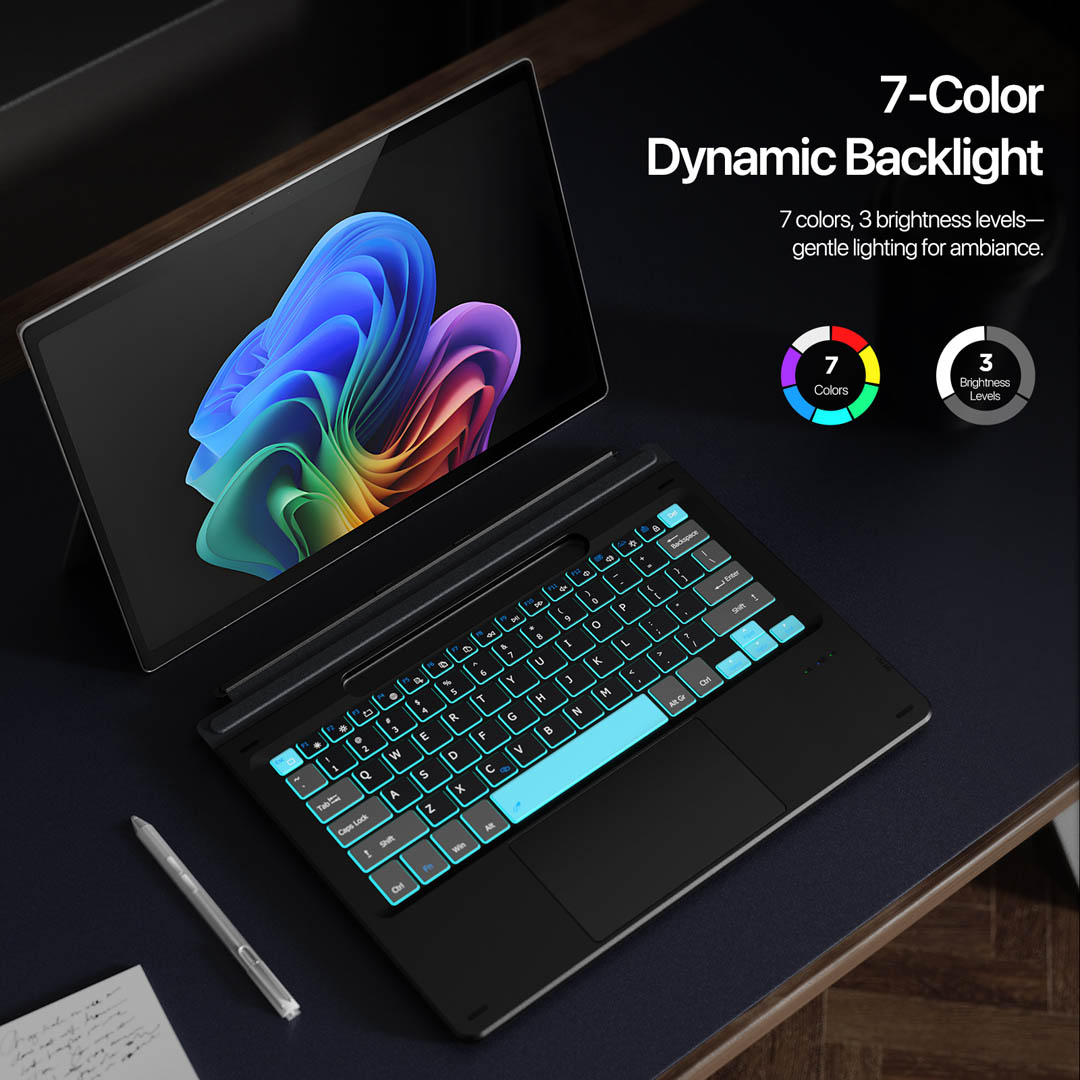
Dux Ducis uses scissor-switch keys with 1.5mm travel across the full key deck. The 7-colour dynamic backlight offers 3 brightness levels for lower-light environments. Additionally, a function row spans the top of the keyboard for system shortcuts and media controls. The glass touchpad sits below the keys and supports gesture control, palm rejection, left click, right click, zoom and task switching. In turn, the touchpad gives the Microsoft Surface Pro 11 a laptop-grade navigation surface rather than relying on touchscreen input alone.
The built-in 700mAh rechargeable lithium battery charges through a USB-C port in approximately 2 to 3 hours. Dux Ducis rates the battery at approximately 5 to 6 hours of use with the backlight on and more than 120 hours with the backlight off. Consequently, users who turn off the backlight during daytime sessions extend the interval between charges significantly. Furthermore, the keyboard enters a power-saving standby mode after a period of inactivity to conserve battery life.
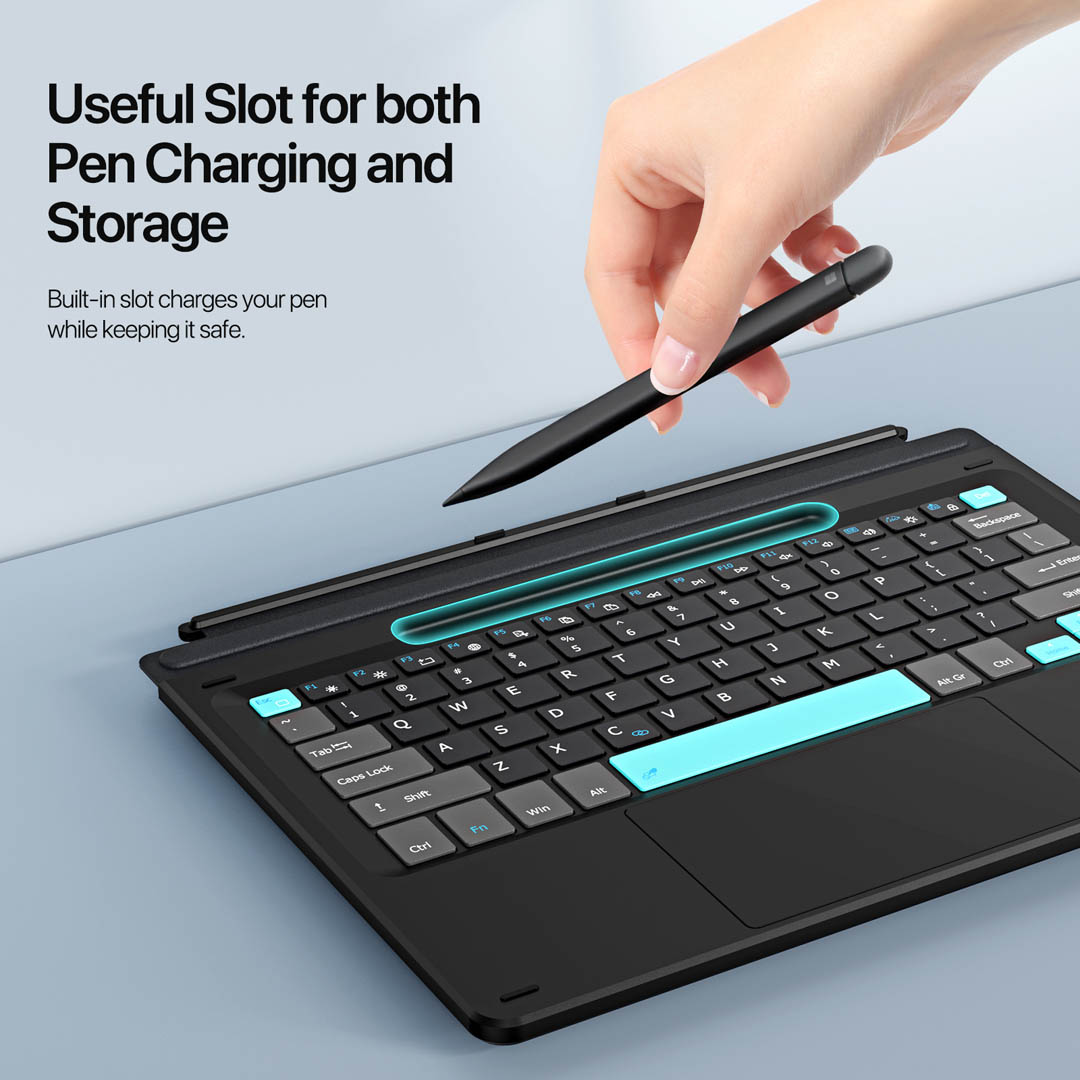
A dedicated pen slot above the keys stores the stylus in a fixed position during transport and desk use. The slot prevents the pen from rolling off a desk or getting lost inside a bag. Additionally, the 5mm body thickness and 378-gram weight keep the keyboard portable alongside the tablet. The microfibre base also protects the Microsoft Surface Pro 11 screen from key contact marks when the keyboard folds against the display during carry.
The keyboard fits the Microsoft Surface Pro 11 with magnetic alignment for connected mode and Bluetooth pairing for separated mode. The keyboard also fits Microsoft Surface Pro 10, Surface Pro 9, Surface Pro 8 and Surface Pro X through Bluetooth pairing. The keyboard does not fit Surface Pro 12, as that device uses different chassis dimensions. Therefore, buyers should confirm the tablet model before ordering. Additional tablet accessories are available in the accessories category.
The package includes one Dux Ducis CK Pro series magnetic keyboard, one USB-C charging cable and one instruction manual. The package does not include the tablet, stylus pen or power adapter.
The keyboard supports Bluetooth 5.0 wireless mode with a working distance of 8 to 10 metres when detached. Connected magnetic mode also remains available for laptop-style use.
The key deck includes 7-colour backlight with 3 brightness levels. Additionally, the glass touchpad supports gesture control and palm rejection.
GA Tech NZ stocks the Dux Ducis CK Pro series keyboard at gatech.co.nz, with shipping across New Zealand.
GA Tech NZ is a New Zealand phone accessories retailer stocking cases, screen protectors and repair parts at gatech.co.nz. Customers seeking manufacturer specifications can view the Dux Ducis CK Pro series product page for additional details.


Reviews
There are no reviews yet.